


When someone is diagnosed with diabetes, heart disease, or asthma, they don’t just need medication-they need to understand how to live with it. That’s where patient education apps and e-learning platforms come in. These tools aren’t just fancy add-ons anymore. In 2025, they’re helping millions of people take control of their health by turning complex medical info into simple, daily habits.
Think about it: a 68-year-old with type 2 diabetes might get a 10-page handout from their doctor. But a 5-minute interactive video on a tablet, with voice-over and real-time feedback, sticks better. That’s the power of digital learning. It’s not about replacing doctors. It’s about giving patients the tools to understand their condition before, during, and after appointments.
How Patient Education Apps Actually Work
Most patient education apps today don’t just show videos. They adapt. They track. They remind. Take Khan Academy Kids, for example. Originally built for children, its design principles-simple visuals, bite-sized lessons, instant feedback-are now being copied by health apps targeting older adults. Apps like MyTherapy and Medisafe use the same logic: break down complex routines into small, doable steps.
These apps often sync with wearable devices. If your glucose monitor shows a spike, the app doesn’t just log it-it explains why it happened, suggests what to eat next, and even texts a reminder to your caregiver. This isn’t science fiction. It’s happening in clinics across the UK and US right now.
One of the biggest shifts since 2023 is the move away from passive content. Older apps showed PDFs and static slides. New ones use AI to respond to voice questions. Ask, “Why does my blood pressure go up after coffee?” and you’ll get a personalized answer based on your logged data-not a generic article.
Top 5 Apps for Patient Learning in 2025
- MyTherapy (iOS, Android): Tracks meds, symptoms, and appointments. Sends voice reminders. Used by over 3 million people worldwide. Integrates with Apple Health and Google Fit.
- Medisafe (iOS, Android): Uses AI to predict missed doses based on your behavior. Has a family alert feature-perfect for elderly patients living alone. 87% of users report better adherence after 30 days.
- Ada Health (iOS, Android): Asks you questions like a doctor would, then explains possible causes in plain language. Not a diagnosis tool, but a great way to understand symptoms before seeing a provider.
- Epic! for Patients (iOS, Android, Web): A digital library with 12,000+ illustrated health books. Used by clinics to give patients reading material in their native language. Especially helpful for people with low literacy or dyslexia.
- Snorkl (Web, iOS): Originally designed for classrooms, it’s now used in hospitals. Patients record themselves explaining their symptoms in their own words. The AI analyzes tone, clarity, and key terms-and gives feedback to both patient and clinician.
Each of these tools works differently. MyTherapy is for routine management. Snorkl is for communication. Epic! is for understanding. Together, they cover the full cycle: learn, track, communicate, improve.
Why E-Learning Platforms Are Changing Clinics
Hospitals aren’t just handing out apps. They’re building full e-learning paths. At Bristol Royal Infirmary, patients with COPD now complete a 12-module online course before their first pulmonary rehab session. Each module takes 8-10 minutes. They watch a video, answer three questions, and record a short voice note answering, “What’s one thing you’ll change this week?”
That voice note goes straight to their care team. It’s not just data-it’s insight. A nurse can hear hesitation in a patient’s voice and schedule a follow-up call before the problem gets worse.
Platforms like WeVideo let clinics create custom videos. A diabetes educator in Cardiff made a 7-minute video showing how to inject insulin using a toy syringe and a piece of fruit. It’s not glamorous, but it’s effective. Patients who watched it had 40% fewer injection errors in the first month.
These aren’t gimmicks. They’re evidence-backed. A 2025 study from the University of Manchester found that patients who completed structured e-learning modules were 52% more likely to stick to their treatment plan after six months.
The Hidden Problem: Not Everyone Has Equal Access
Here’s the hard truth: digital tools can widen the gap, not close it.
Older adults, people in rural areas, and those with low digital literacy often struggle. A 72-year-old widow in rural Wales might have a smartphone, but she’s never used an app. She doesn’t know what “sync” means. She’s scared of pressing the wrong button.
That’s why the best clinics don’t just hand out apps. They offer “digital onboarding.” A health navigator sits with the patient for 20 minutes. They show them how to open the app, tap the right button, and what to do if it freezes. They even write down the steps in big print.
Tools like Google Classroom and SeeSaw are being adapted for this. One NHS pilot in Cornwall used SeeSaw to let patients post photos of their meals, ask questions in voice notes, and get replies from nurses. No typing needed. Result? 68% of participants used it weekly.
Meanwhile, free tools like Khan Academy Kids show what’s possible when you remove cost and complexity. There’s no login. No subscription. Just clean, clear content. Health apps need to learn from that.
What Works Best-And What Doesn’t
Not all apps are created equal. Here’s what the data says:
- Works: Apps that connect to real-life actions (taking meds, walking, eating). Apps that let you talk, not just tap. Tools that involve family members.
- Doesn’t work: Apps that just display PDFs. Apps that require 10-step logins. Tools that give generic advice like “eat healthy” without showing how.
One clinic in Leeds tried a fancy AI chatbot for heart failure patients. It answered questions-but didn’t understand when someone said, “I feel funny after my walk.” The bot replied with a textbook definition of dyspnea. Patients stopped using it after two weeks.
Another clinic used Prodigy Math-yes, the kids’ math game-to teach kids with asthma how to use their inhalers. It turned the steps into a game: blow into the inhaler, collect a star, unlock a new level. Kids who played it for 10 minutes a day for a week used their inhalers correctly 92% of the time. Their parents didn’t even realize it was learning.
The lesson? Engagement isn’t about fancy tech. It’s about making the right behavior feel easy, rewarding, and familiar.

What to Look for When Choosing a Tool
If you’re a patient, caregiver, or clinician picking a tool, ask these questions:
- Does it work offline? (What if the Wi-Fi goes out?)
- Can I use my voice to interact with it? (Not everyone can type.)
- Does it let me share progress with my family or doctor?
- Is it free or low-cost? (No one should be turned away because they can’t pay.)
- Does it explain things in plain language-or just medical jargon?
Tools that pass all five are rare. But they exist. MyTherapy and Epic! for Patients both clear the bar.
The Future: AI That Understands You, Not Just Your Data
The next big leap isn’t more apps. It’s smarter AI.
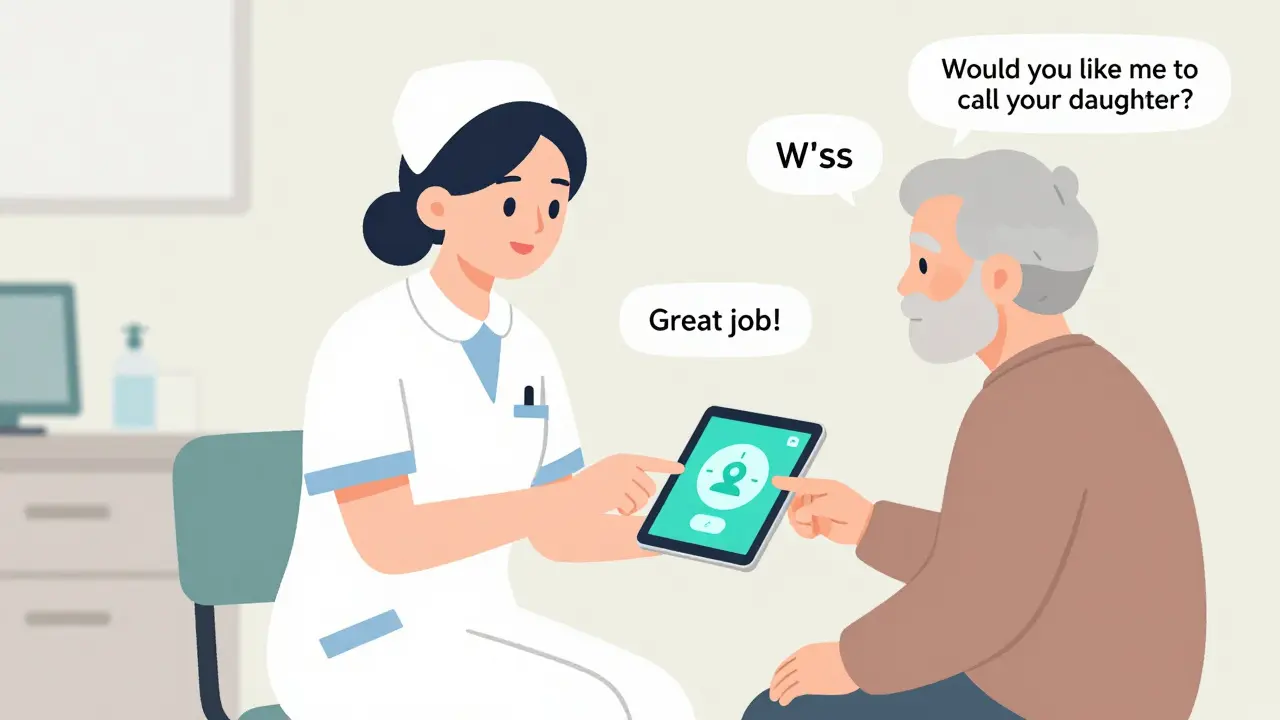
Imagine an app that notices your sleep pattern changed, your steps dropped, and your blood sugar spiked-all in one week. It doesn’t just say, “Check your levels.” It says, “You’ve been stressed this week. Here’s a 3-minute breathing exercise. Would you like me to call your daughter to check in?”
That’s what NotebookLM and Snorkl are moving toward. They’re learning not just what you do, but why you do it. And they’re starting to respond with empathy, not just data.
But there’s a warning. A 2025 study by Digital Promise found AI tools misread symptoms 22% more often in Black and Hispanic patients. Why? The training data was mostly from white, middle-class users. That’s not just a bug-it’s a risk.
The best tools in 2025 aren’t the most advanced. They’re the most honest. They admit when they don’t know. They offer human help. And they’re designed for real people-not tech demos.
Final Thought: Technology Should Serve, Not Replace
There’s no app that can replace a nurse who sits down, looks you in the eye, and says, “I know this is hard. Let’s figure it out together.”
Digital tools aren’t meant to take that role. They’re meant to give nurses more time to do it. When an app handles reminders, logs, and basic questions, the human can focus on what matters: trust, reassurance, and connection.
That’s the real win. Not the number of downloads. Not the AI features. But the quiet moment when someone with a chronic illness finally feels like they can manage it-not because the app told them to, but because they understood why.
Are patient education apps safe for my data?
Most reputable apps follow strict privacy rules like GDPR and HIPAA. Look for apps that clearly state how your data is stored and who can see it. Avoid apps that ask for unnecessary permissions like your contacts or location. Free apps with no clear privacy policy should be used with caution.
Can I use these apps if I’m not tech-savvy?
Yes. Many apps are designed for older adults or people with little tech experience. Look for apps with voice control, large buttons, simple menus, and no login requirements. Tools like Epic! and MyTherapy offer voice-guided setup. Clinics often provide free one-on-one help to get you started.
Do I need to pay for these apps?
No. Many of the most effective tools are completely free. MyTherapy, Epic! for Patients, and Khan Academy Kids cost nothing. Some clinics even provide tablets with pre-loaded apps. Paid apps usually offer extra features like advanced tracking or family sharing, but free versions work well for most people.
How do I know if an app is trustworthy?
Check if it’s recommended by a hospital, NHS, or major health organization like the American Heart Association. Look for apps developed by universities, hospitals, or established health nonprofits. Avoid apps that promise to cure diseases or sell supplements. If it sounds too good to be true, it probably is.
Can these apps help with mental health too?
Absolutely. Apps like MyTherapy and Snorkl help track mood, stress, and anxiety alongside physical symptoms. Some include guided breathing exercises, journal prompts, and mood logs. Mental health is part of overall health-and the best apps treat it that way.
What if the app doesn’t work or freezes?
Most apps have a help section or email support. For critical issues, contact your clinic. Many hospitals have digital health coordinators who can help troubleshoot. Don’t stop using the app just because it glitches-try restarting your device or reinstalling it. If problems persist, ask your provider for a different tool.
Next steps: If you’re managing a chronic condition, ask your doctor or nurse for a recommended app. If you’re helping someone else, sit with them for 15 minutes and explore one app together. Start small. Use it for a week. See what sticks. The goal isn’t perfection-it’s progress.
 Medications

sonam gupta
December 28, 2025 AT 01:48Digital tools are just another Western scam to make poor people dependent on gadgets
Julius Hader
December 28, 2025 AT 21:57Love this breakdown! 🙌 Seriously, apps like MyTherapy saved my mom’s life after her bypass. No more missed pills, no more panic calls. Just simple, quiet support. Tech done right.
Mimi Bos
December 29, 2025 AT 15:01i just tried epic! for patients last week and wow its so much easier than the 50 page pdfs my dr gave me. no jargon, just pictures and voice. my grandma even asked for more books lol
Payton Daily
December 30, 2025 AT 06:05Let’s be real - this isn’t about apps. It’s about the collapse of human connection in healthcare. We’ve outsourced empathy to algorithms and called it innovation. Snorkl doesn’t care if you’re scared. MyTherapy doesn’t hold your hand. You think a voice note replaces a nurse who knows your name? That’s not progress. That’s surrender.
And don’t get me started on AI that ‘understands’ you. It doesn’t. It predicts. It’s math pretending to be compassion. The real win isn’t in tracking glucose - it’s in the silence between a doctor and patient when words aren’t needed.
We’re building digital cathedrals while the soul of medicine rots in the basement.
Kelsey Youmans
December 31, 2025 AT 01:26This is a thoughtful and well-researched overview. The emphasis on accessibility, particularly for older adults and those with low digital literacy, is both necessary and commendable. The integration of voice-based interfaces and offline functionality represents a significant step toward equitable care delivery. I appreciate the inclusion of evidence-based outcomes, such as the 52% adherence increase. These are not merely tools - they are extensions of clinical compassion when deployed thoughtfully.
Sydney Lee
January 1, 2026 AT 04:03Of course you mentioned Khan Academy Kids - because nothing says ‘health equity’ like borrowing pedagogy designed for five-year-olds to treat 70-year-olds. How condescending. And Snorkl? That’s a classroom tool repurposed by tech bros who think ‘recording voice notes’ is innovation. Real patient education doesn’t need gamification. It needs trained professionals - not AI that misreads Black patients 22% more often. You call this progress? I call it colonialism with a UI.
oluwarotimi w alaka
January 1, 2026 AT 11:37you think these apps are for health? nah theyre for data harvesting. your blood sugar, your voice, your emotions - all sold to big pharma. even the free ones. why do you think they let you use them for free? they watching. they listening. they know when you skip your meds. they know when you cry. dont trust the system
Debra Cagwin
January 2, 2026 AT 10:43One of the most encouraging things I’ve seen in healthcare this year is how clinics are using SeeSaw to let patients share meal photos and voice notes. No typing. No pressure. Just real life, shared safely. If you’re a caregiver or clinician reading this - start small. Sit with someone. Let them teach you how they want to learn. Tech is just the bridge. The connection is the medicine.
Hakim Bachiri
January 4, 2026 AT 09:35Oh, so now we’re giving smartphones to grandmas and calling it ‘digital onboarding’? What’s next? QR codes on their walkers? And don’t even get me started on ‘Epic! for Patients’ - you think a picture of a banana is going to teach someone how to manage insulin? This isn’t education - it’s infantilization. Real health literacy requires effort. Not cute animations. Not voice notes. Not ‘star rewards’ for breathing right. We’re turning chronic illness into a mobile game. And it’s disgusting.
And the AI? It’s biased. It’s broken. It’s built by people who’ve never met a diabetic over 65. You call this innovation? I call it arrogance dressed in UX.
Celia McTighe
January 5, 2026 AT 21:50YES!! 🙌 I love how Snorkl lets people record themselves - it’s so much easier than typing when you’re tired or nervous. My aunt used it after her stroke and she said it felt like talking to a friend, not a robot. And Epic! with the big fonts and audio? Game changer for my dad with dyslexia. We’re not fixing tech - we’re fixing how we listen. 💙
ANA MARIE VALENZUELA
January 7, 2026 AT 12:32Everyone’s acting like these apps are magic. But let’s look at the data: 68% usage in Cornwall? That’s not adoption - that’s compliance forced by nurses. And the 40% fewer injection errors? Probably because someone was watching them. These tools don’t work in isolation. They work because humans are still in the loop. Stop pretending tech is the hero. It’s the clipboard.
Bradly Draper
January 7, 2026 AT 19:53My uncle used MyTherapy for his diabetes. He didn’t care about the AI or the sync. He just liked that it told him when to take his pill. Simple. Quiet. Didn’t judge. That’s all he needed.