


Ever finish a long day at your desk and feel like your eyes are dry, tired, or even a little blurry? You’re not alone. Millions of people experience this every single day-not because they’re overworking, but because their eyes are struggling with something most of us don’t even think about: digital eye strain. This isn’t just a minor annoyance. It’s a real, measurable condition called Computer Vision Syndrome (CVS), and it’s getting worse as we spend more time staring at screens.
According to the American Optometric Association, 65% of Americans report symptoms like headaches, blurred vision, or dry eyes from screen use. If you’re on a computer for more than two hours a day, your risk goes up fast. And it’s not just office workers. Students, remote teams, gamers, and even people scrolling through their phones during lunch are affected. The good news? You don’t need expensive gear or drastic changes to feel better. Simple, science-backed habits can cut your symptoms in half.
Why Your Eyes Hurt After Screens
Your eyes weren’t built for staring at glowing rectangles for hours. When you look at a screen, your eyes do three things that drain them:
- They focus constantly on a fixed distance-usually 20 to 28 inches away. That keeps the tiny muscles inside your eyes locked in tension.
- Characters on screens have fuzzy edges and low contrast compared to printed text. Your eyes work harder to make sense of them.
- You blink less. A lot less. Normally, you blink about 15 times a minute. When you’re focused on a screen? That drops to 5. Less blinking means your eyes dry out faster.
Put all that together, and it’s no surprise you get headaches, eye fatigue, or even neck pain from hunching over your keyboard. Studies show people with CVS are up to 20% less productive. That’s not just discomfort-it’s a performance issue.
The 20-20-20 Rule: Your Best Free Tool
If you take away one thing from this article, let it be this: the 20-20-20 rule. It’s simple. Every 20 minutes, look at something 20 feet away for 20 seconds. That’s it. No apps needed. No glasses required.
Why does this work? Your eye muscles need to relax. Looking far away lets them stretch out, just like standing up after sitting too long. Clinical studies show this one habit reduces eye strain symptoms by 53%. Real people notice it fast. One software developer in Perth started using a free app called Time Out to remind him. Within three weeks, his daily headaches dropped from five days a week to just one.
You don’t need to be perfect. Even if you only do it half the time, you’ll feel a difference. Set a timer. Use your phone’s alarm. Or just make it a habit-every time you get up for water or coffee, look out the window for 20 seconds. Your eyes will thank you.
Screen Position Matters More Than You Think
Where your screen sits is just as important as how long you stare at it. Most people have their monitor too high or too far away. The ideal setup is simple:
- The top of your screen should be at or slightly below eye level. That means you’re looking slightly down-about 15 to 20 degrees.
- Your eyes should be 20 to 28 inches (50 to 70 cm) from the screen. Too close? Your eyes strain. Too far? You lean forward and tense your neck.
Use a stack of books or a monitor stand to adjust height. If you use a laptop, get a cheap riser and an external keyboard. One graphic designer I spoke to said her chronic neck pain vanished within 10 days of raising her screen. She didn’t buy new gear-just used a couple of textbooks.
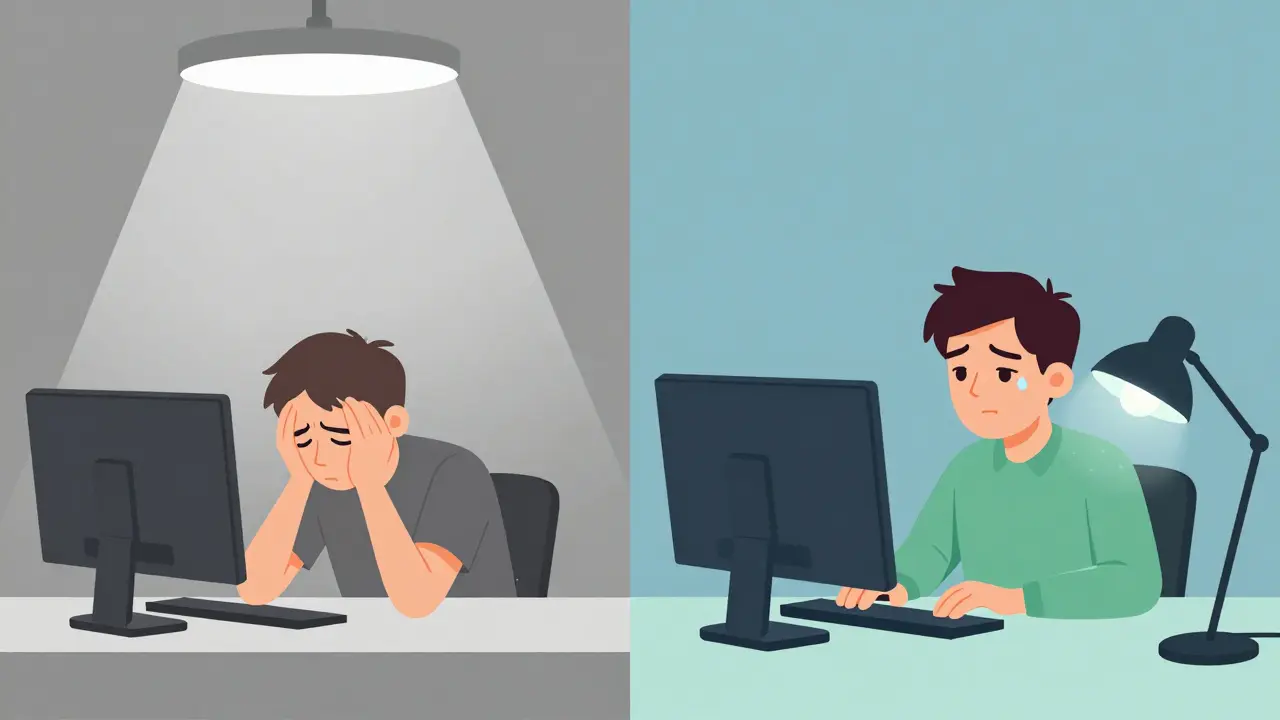
Also, check your lighting. If your screen reflects windows or overhead lights, your eyes work overtime to fight glare. Try turning off bright overhead lights or using a desk lamp instead. Aim for ambient light around 300-500 lux-about half of what most offices use. Less glare means less strain.
Blue Light Glasses: Helpful or Hype?
Blue light glasses are everywhere. They’re marketed as a cure-all. But here’s the truth: they help some people, but not for the reasons you think.
Blue light from screens doesn’t damage your eyes. That’s been debunked. What it *can* do is disrupt sleep if you’re using screens late at night. That’s why features like Night Shift (iOS) or Night Light (Windows) exist-they reduce blue light before bed.
As for daytime use? A 2023 double-blind study by the American Academy of Ophthalmology found blue light glasses provided only 15% more relief than regular clear lenses. That’s not nothing, but it’s not magic. People who swear by them often have dry eyes already. For them, the tint might help reduce glare, making it easier to focus.
Here’s the bottom line: if you’ve tried everything else and still feel strain, try a pair. But don’t expect miracles. And skip the $150 ones. A $25 pair with anti-reflective coating works just as well.
Keep Your Eyes Wet
Dry eyes are one of the most common symptoms of CVS. And it’s not just because you blink less. The air in offices is often dry, especially with AC or heating running.
The fix? Artificial tears. Not the kind with preservatives-those can irritate your eyes over time. Look for preservative-free lubricating drops. Use them 2 to 4 times a day. Studies show 78% of users report noticeable relief within a week.
Also, make a habit of full blinks. When you’re focused, you tend to half-blink-just a quick flutter. That doesn’t spread tears properly. Try this: every 4 or 5 seconds, close your eyes completely for a second. It trains your body to blink right. One ophthalmologist at Cedars-Sinai says this alone can improve tear film stability by 40%.

Get Your Eyes Checked-Specifically for Screens
Here’s the most overlooked piece: 70% of CVS cases are linked to uncorrected vision problems. That means you might need a different prescription for computer use than for driving or reading.
Regular eye exams don’t always test for this. Ask for a computer vision exam. It checks your focus at intermediate distances (20-28 inches), not just far or near. If you have astigmatism, presbyopia, or even a slight imbalance between your eyes, a specialized prescription can make a huge difference.
One university student in Melbourne thought blue light glasses were the answer. They helped at first-but symptoms came back. Her eye exam revealed uncorrected astigmatism. Once she got the right lenses, her headaches disappeared.
The American Optometric Association recommends a comprehensive eye exam every 12 months if you use screens daily. Don’t wait until your vision feels blurry. By then, your eyes have been working overtime for months.
What Works Best? The Combined Approach
No single trick fixes everything. But when you combine a few, the results are powerful.
A 2022 NIH study tracked 500 people with CVS. Those who used the 20-20-20 rule, adjusted their screen height, used lubricating drops, and got proper eyewear saw a 62.3% drop in symptoms. People who tried only one thing? Only 52% improved.
Think of it like brushing your teeth. One brushing won’t prevent cavities forever. But daily habits-brushing, flossing, limiting sugar-add up. The same applies here.
Start small. Pick one thing: maybe the 20-20-20 rule. Do it for a week. Then add screen height. Then drops. Within a month, you’ll likely notice a big difference.
What’s Changing in 2026?
Screen time isn’t going down. In fact, global average screen use hit nearly 7 hours a day in 2023-and it’s climbing. That’s why eye care is shifting. The FDA approved a new prescription eye drop (EYSUVIS 0.25%) in 2023 specifically for dry eye from screen use. Apple and Dell now build “eye care” features into monitors: automatic brightness, flicker-free tech, and blue light filters that adjust by time of day.
More companies are adding CVS prevention to workplace wellness programs. In 2019, only 22% of Fortune 500 companies did. Now it’s 68%. That’s not just good PR-it’s because they’ve seen productivity rise when employees aren’t in pain.
The future isn’t about avoiding screens. It’s about using them smarter. Just like we’ve learned to protect our backs from sitting too long, we’re learning to protect our eyes from staring too long. And it’s not complicated. It’s just consistent.
Can digital eye strain cause permanent damage?
No, digital eye strain doesn’t cause permanent damage to your eyes. It causes temporary discomfort like dryness, blurred vision, and headaches. These symptoms go away when you rest your eyes or adjust your habits. But if you ignore them for years, you might develop chronic dry eye or neck problems from poor posture. The key is to treat it early before it becomes a pattern.
Do I need special computer glasses?
Not necessarily. If you don’t need glasses for distance or reading, you probably don’t need special computer lenses. But if you already wear glasses, you might benefit from a separate pair designed for your screen distance (usually 20-28 inches). These lenses reduce the need for your eyes to constantly refocus. Ask your optometrist for a computer-specific prescription. Many people find they can work longer without fatigue once they have the right lenses.
Are blue light filters on phones enough?
They help with sleep, not necessarily with eye strain. Blue light filters on your phone or laptop reduce the amount of blue light emitted, especially at night. That’s great for helping you fall asleep. But during the day, eye strain comes from focusing too long, blinking less, and glare-not blue light. So while turning on Night Shift is a good habit, it won’t fix your headaches if your screen is too high or you’re not taking breaks.
How long does it take to see results from prevention habits?
Most people notice a difference within a week if they stick to the basics: the 20-20-20 rule, proper screen height, and using lubricating drops. For full habit change-like remembering to blink or adjusting your chair-it takes 2 to 3 weeks. One study found that people who followed all recommended steps for 30 days cut their symptoms by over 60%. Consistency matters more than intensity.
Can children get digital eye strain too?
Yes. Kids are just as vulnerable, especially with remote learning and gaming. Their eyes are still developing, and they often sit too close to screens without realizing it. Encourage the 20-20-20 rule, limit screen time before bed, and make sure their screen is at eye level. If your child complains of headaches or squinting, get their eyes checked. Early detection prevents long-term issues.
 Medications



Adam M
March 12, 2026 AT 21:03Just look away. Every 20 minutes. That’s it.
Noluthando Devour Mamabolo
March 13, 2026 AT 04:42Elsa Rodriguez
March 13, 2026 AT 15:43Serena Petrie
March 15, 2026 AT 12:57Dylan Patrick
March 16, 2026 AT 23:32Stop buying blue light glasses. Stop blaming the screen.
Look at the height. Look at the distance. Look at the light.
Fix those three things. Your eyes will go from ‘I hate life’ to ‘I can actually see my cat again.’
Aaron Leib
March 17, 2026 AT 00:40My headaches? Gone.
My neck? Not killing me anymore.
It’s not magic. It’s just consistency.
Amisha Patel
March 18, 2026 AT 03:31Rosemary Chude-Sokei
March 19, 2026 AT 07:23Adam M
March 20, 2026 AT 19:15